What is CIC (Credit Information Center)?
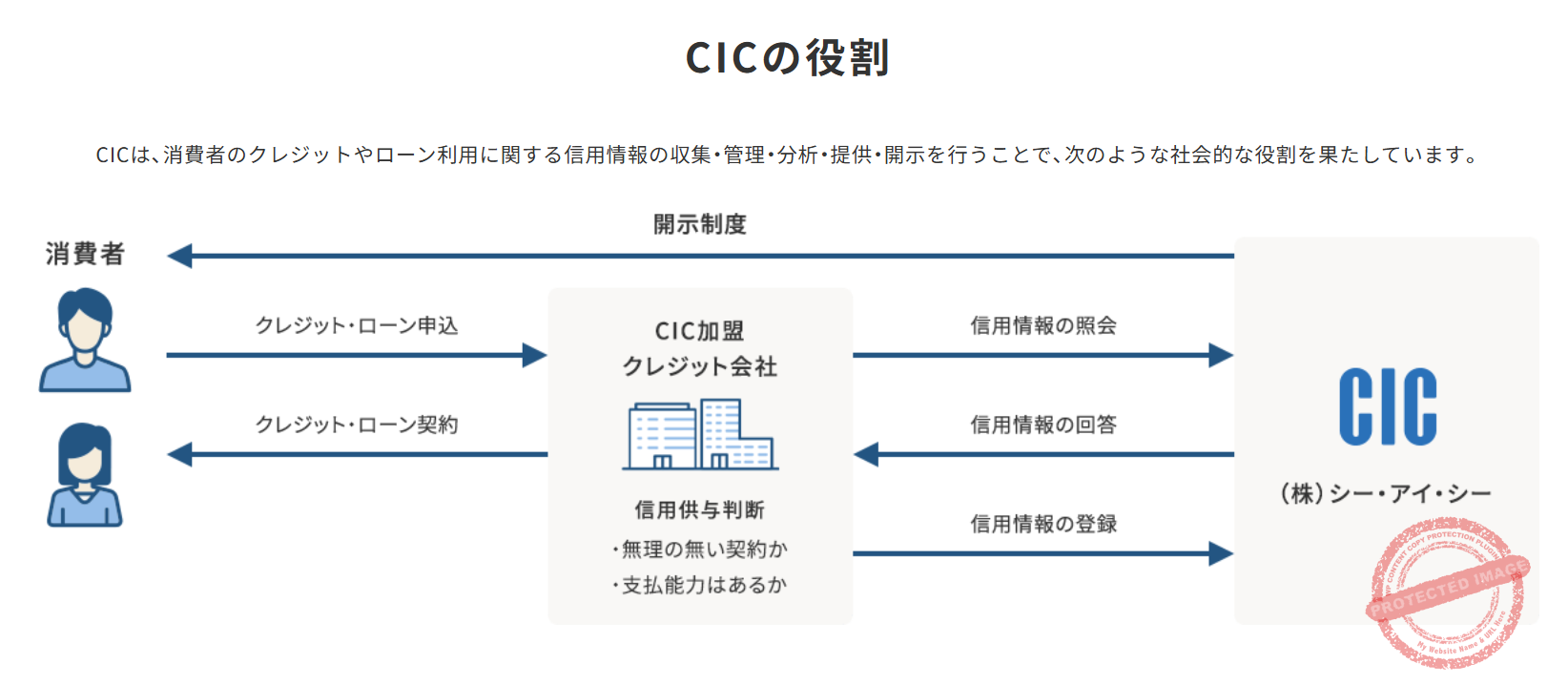
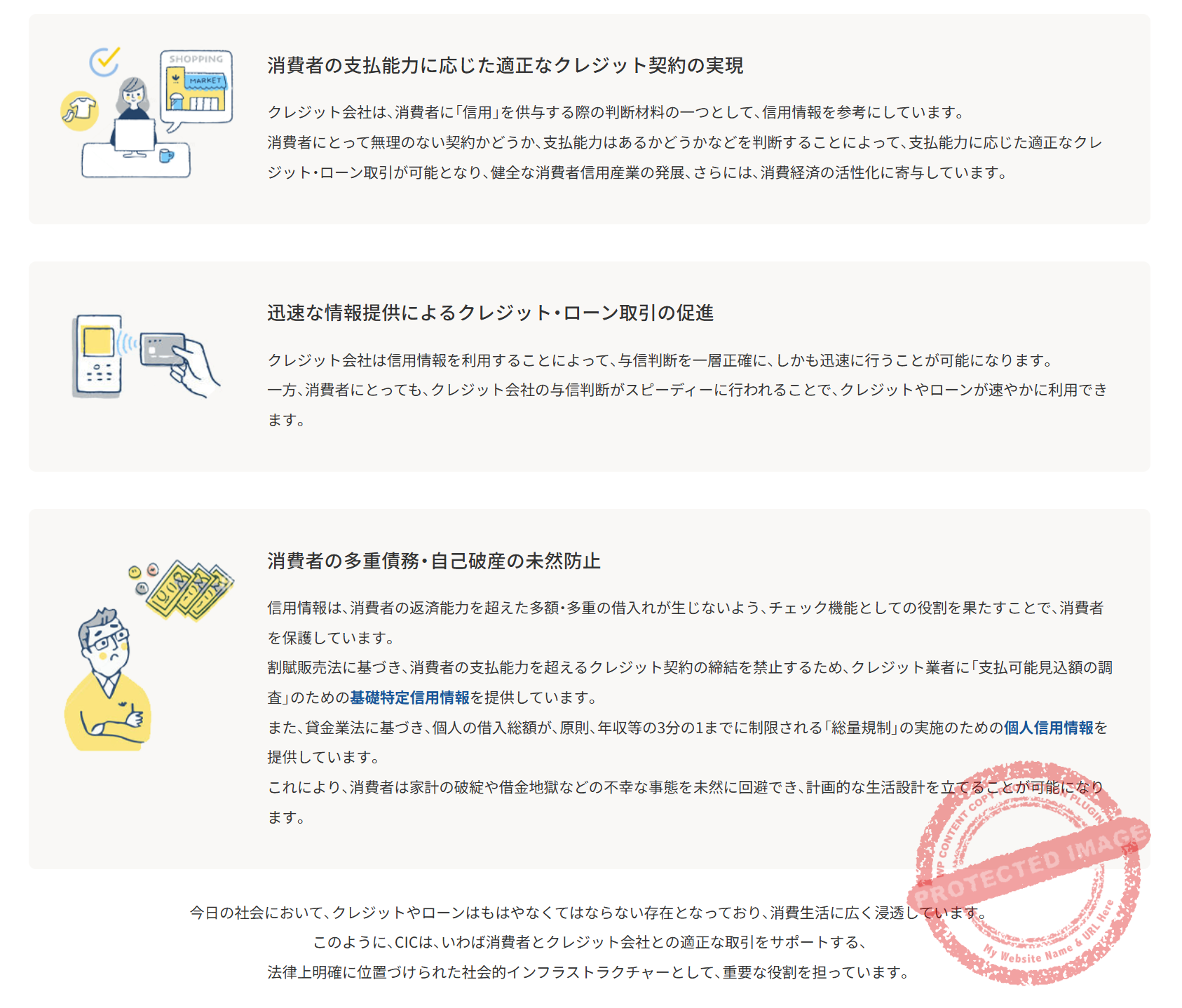
When living in Japan, financial institutions check your credit information whenever you apply for credit cards or housing loans. The information registered with CIC is like a “resume” of your financial transactions. By regularly checking your credit information, you can verify that the records are accurate and that there is no unauthorized use.
Information Available Through CIC
The CIC credit information disclosure report allows you to confirm the following information: credit card and loan contract details, monthly payment status (nyuukin joukyou), balance information, and more. You can also check your history of credit card and loan applications; multiple applications within a short period may affect screenings, so it’s worth checking your record before you apply.
The “payment status” section is particularly important. This section displays the past 24 months of payment history using symbols. The “$” mark indicates normal payments, “A” means unpaid, and “P” means partial payment. Delayed payment records may affect new credit card applications or mortgage applications.
How to Request CIC Disclosure
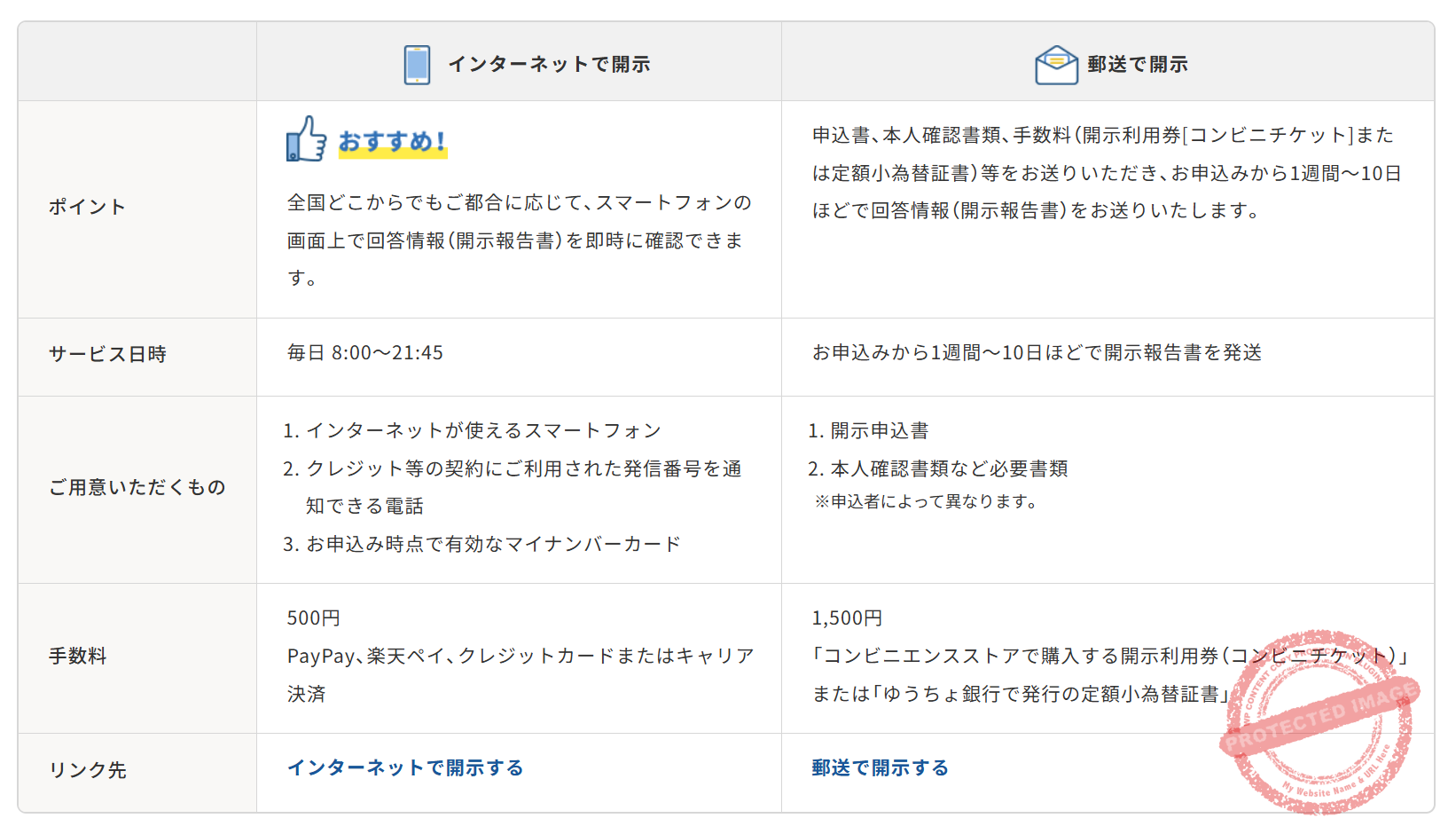
CIC offers two main methods for checking your credit information: “Online Disclosure” and “Mail Disclosure”. Here’s how the two compare.
📱 Online Disclosure (Fastest & Most Convenient)
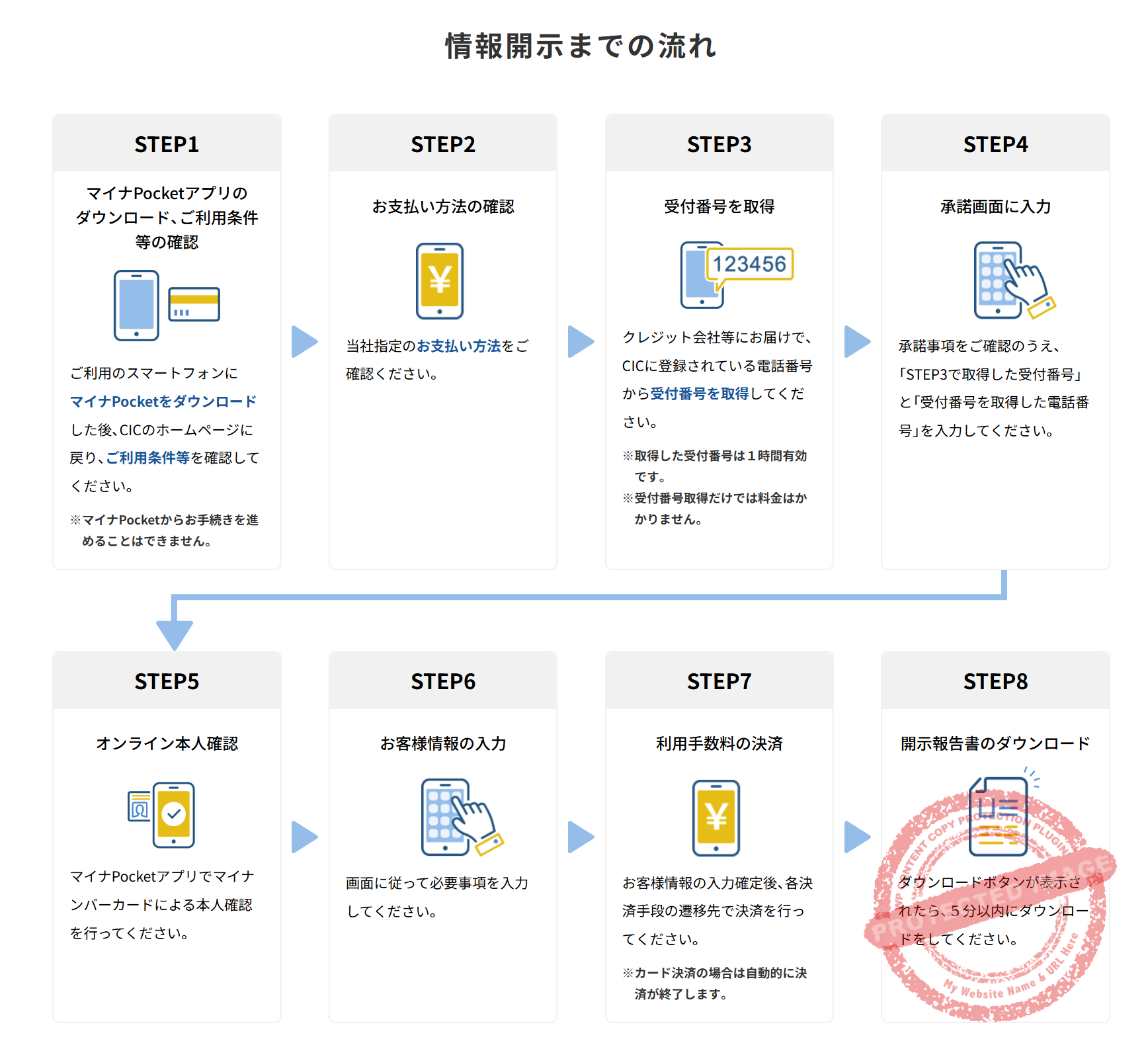
CIC has offered online disclosure since 2011. The service was temporarily suspended in April 2025 over concerns about impersonated disclosure requests, and it resumed on October 9, 2025 under a new flow that requires identity verification with a My Number Card. You can apply from your smartphone or computer. Pay the ¥500 fee by credit card, PayPay, Rakuten Pay, or carrier billing, and receive your credit information as a PDF file.
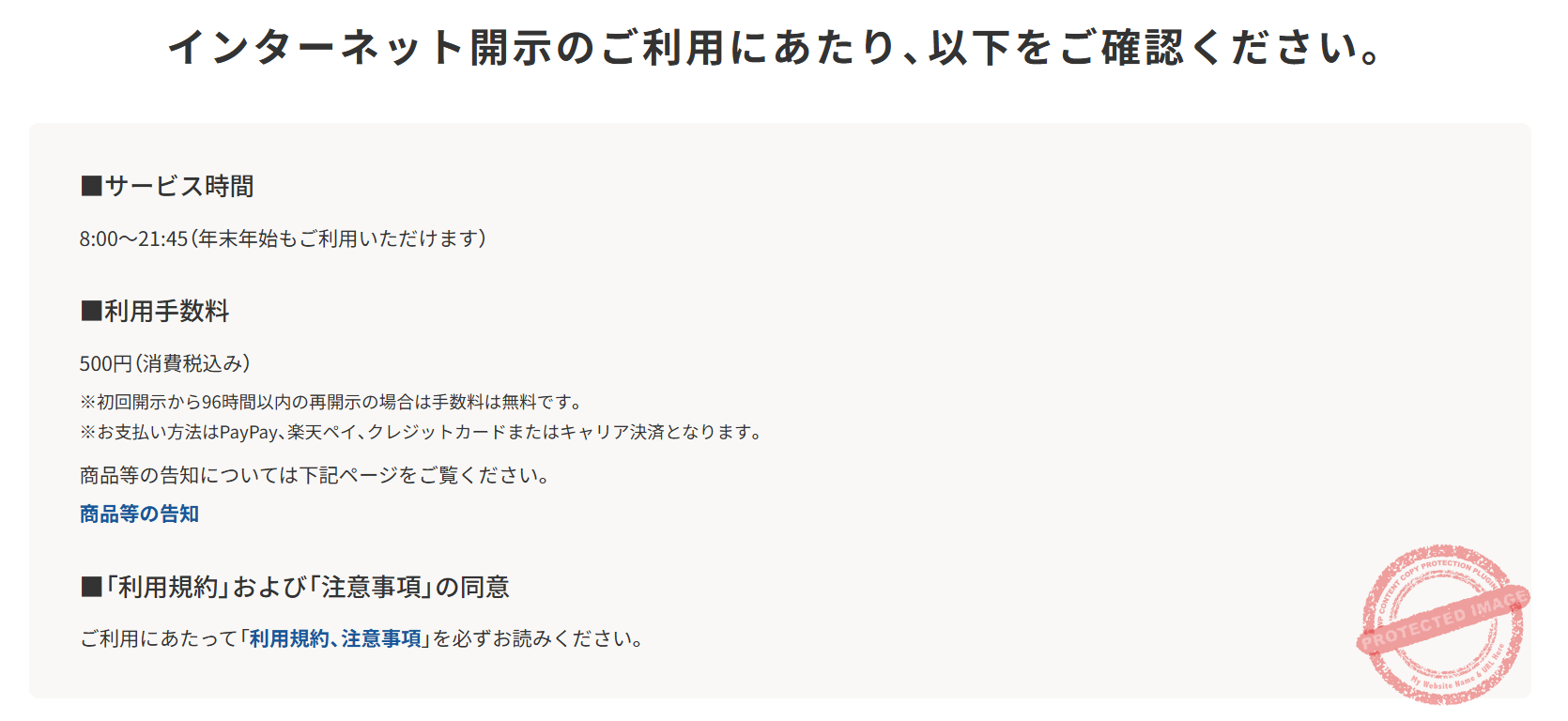
8:00-21:45 (Available year-round including New Year holidays)
・Identity verification document (driver’s license, residence card, My Number card, etc.)
・Credit card (in your name)
・Email address
・Phone number
PayPay, Rakuten Pay, Credit Card, or Carrier Billing
Note:Re-disclosure within 96 hours of initial disclosure is free of charge.
Request Disclosure on CIC Official Site →📮 Mail Disclosure
Besides online disclosure, you can also request disclosure by mail. For mail requests, send a postal money order for ¥1,500 along with required documents, and the disclosure report will arrive at your home in about 10 days.
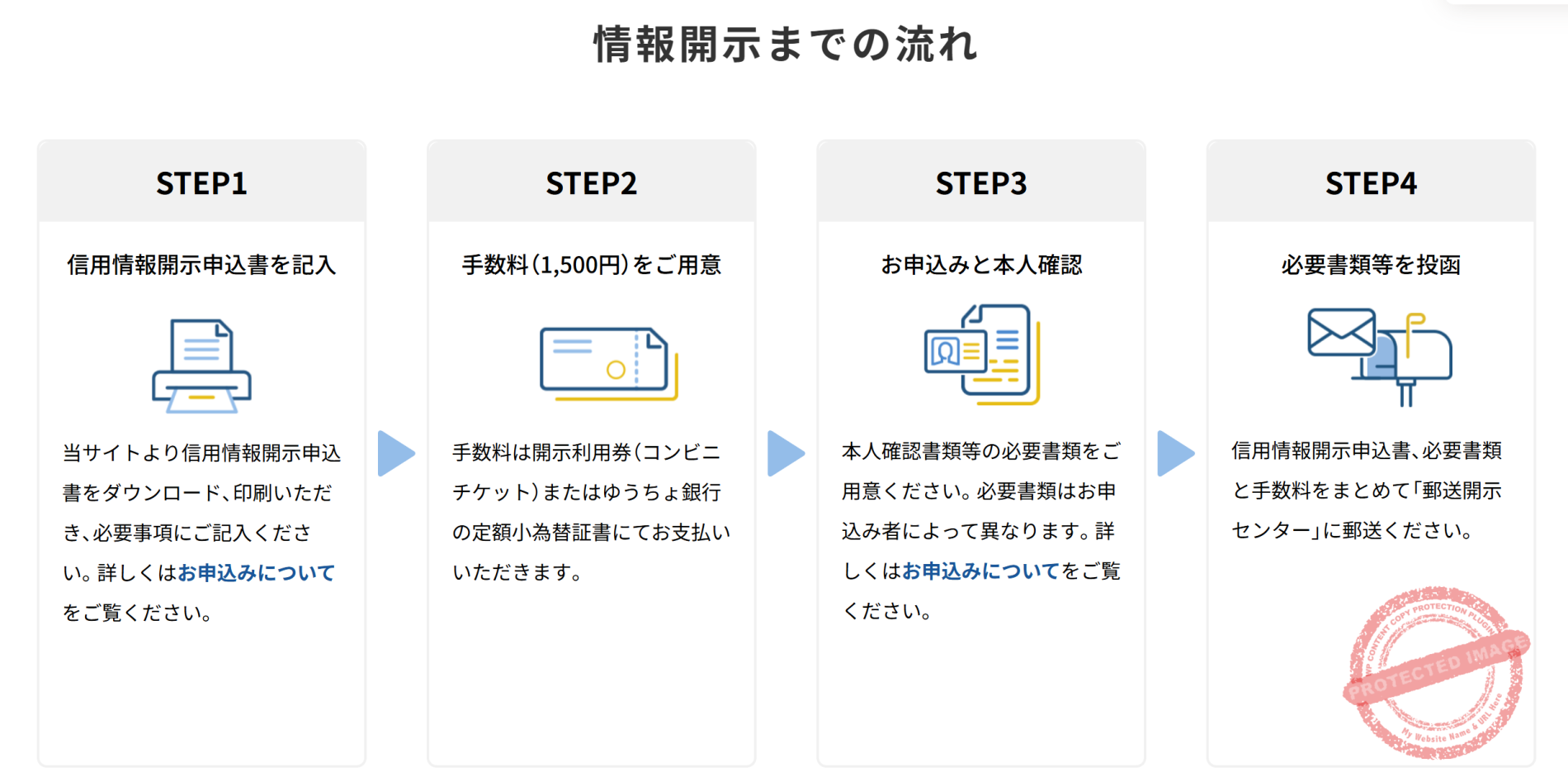
¥1,500 (Postal money order or Japan Post Bank money order certificate)
🏢 Counter Application (Service Ended)
Walk-in counter disclosure — where you could visit a CIC office (Sapporo, Sendai, Shinjuku, Nagoya, Osaka, Okayama, or Fukuoka) and receive the disclosure report on the spot for a ¥500 fee — ended on February 28, 2023. Only two disclosure methods are available now: online (¥500) and mail (¥1,500). Please check the CIC official site for the current disclosure methods.
❗ What to Do If Error [E1235] Appears
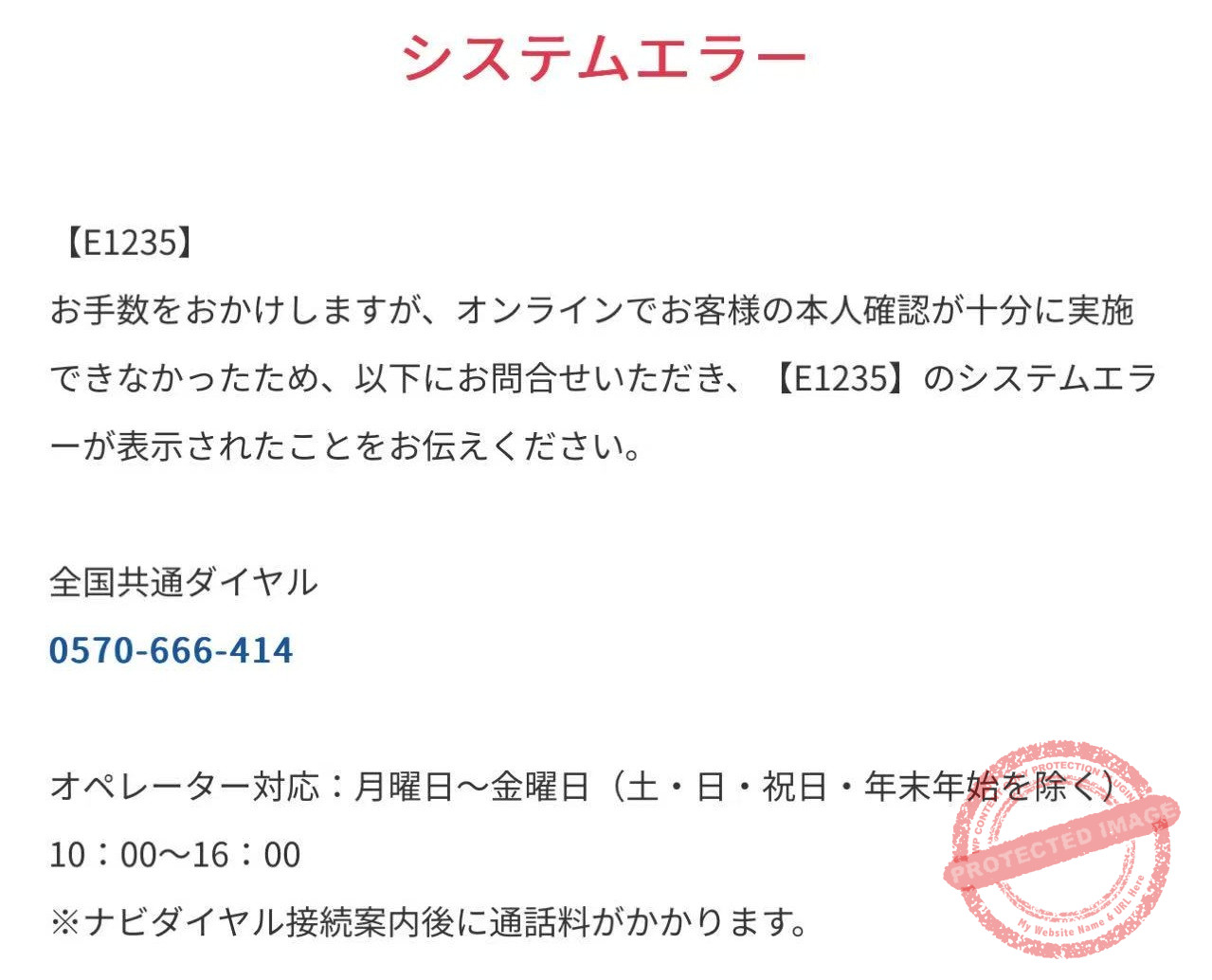
Even if system error [E1235] appears during online disclosure, there’s no need to panic.
This error appears because “sufficient online identity verification could not be completed” and does not mean there is a problem with your credit information. Foreign residents in Japan may encounter this error due to differences in address format or identification documents.
10:00-16:00
Note:Call charges apply after the Navi Dial connection announcement.
Phone Support Details:
When you call the above number, the operator will verify error code [E1235] and guide you through the free mail disclosure request process. In this case, the mail disclosure that normally costs ¥1,500 becomes free (only the navigator dial connection fee applies). This means you can essentially request disclosure for just the cost of the call.
For mail disclosure, the disclosure report will arrive at your home approximately 10 days after sending the required documents. The operator will carefully explain the necessary documents and mailing method.
Other CIC Error Codes and How to Fix Them
Most errors in CIC’s online disclosure come from a typo or a payment card problem — they say nothing about your credit record. Below are the 12 codes CIC lists on its official site, grouped by cause (as of September 2026). E1235 is not on the official list.
| Code | Cause | What to do |
|---|---|---|
| E1047 | Wrong reception number, or wrong phone number used to get it (also shown if you try a disclosure block with a first-time number) | Recheck both fields; get a dedicated number for a disclosure block |
| E1049 | Reception number expired (valid for 1 hour) | Get a new reception number |
| E1081 | Reception number already used | Get a new reception number |
| E1107 | Re-disclosure window (96 hours after the first disclosure) has passed | Get a new number and start over as a first disclosure (the fee applies again) |
| E1108 | Used the first-time number for a re-disclosure | Choose “2” (re-disclosure / disclosure block) in the phone guidance to get a re-disclosure number |
| E1120 | Your details don’t match CIC’s records | Check that you got the number from the phone registered with your card company |
| E1059 | Card number, expiry date or security code wrong, or card not supported | Recheck; if correct, use another card or mail disclosure |
| E1061 | Card details wrong, or card not in your own name | Re-enter with a card in your own name |
| E1084 | Card from a non-participating issuer | Switch cards or use mail disclosure |
| E1090 | This card can’t be used (some co-branded cards are excluded) | Switch cards or use mail disclosure |
| E1060 | Temporary system error on CIC’s side | Try again later |
| E1231 | My Number Card electronic certificate has expired | Renew the certificate and retry, or use mail disclosure |
If card errors (E1059, E1061, E1084, E1090) keep coming back, use a card in your own name that supports 3-D Secure 2.0, or switch to mail disclosure. With a debit card the fee may be taken even when an error occurs; it is normally refunded within about a week. Don’t press the browser’s Back or reload buttons during the process, or it may not complete.
Frequently Asked Questions
Conclusion
CIC credit information disclosure is an important step in building a healthy credit history while living in Japan. It has become much more convenient than before, as you can now check online for an affordable ¥500.
Even if error [E1235] appears, there’s no need to worry. You can request free mail disclosure with just one phone call, so respond calmly. We recommend regularly checking your credit information to prepare for credit card or housing loan applications.
📚 Related Articles


Get new articles by email
We will email you when a new deals article goes up. You can choose the categories, too.