FamiPay is one of the most cost-effective convenience store payment methods in Japan. By strategically combining charging methods, coupons, and point systems, you can achieve over 13% cashback. This guide covers everything you need to maximize FamiPay’s value: charging techniques, POSA card purchase strategies, free coupon acquisition, and comparisons with other payment methods.
Yes — foreigners can use FamiPay (FamilyMart’s QR payment app). Sign up in the app with a phone number. The big catch for foreigners is charging: credit-card top-ups only work with JCB-brand cards (or the Famima Card) — Visa and Mastercard cannot charge FamiPay. Most overseas cards are Visa/MC, so you’ll charge with cash at the register instead.
The app and sign-up are Japanese-first. See the foreigners section below.
What is FamiPay? Basics & Registration
FamiPay is a QR code payment service provided by FamilyMart. Beyond in-store payments, it offers virtual card functionality for online shopping.
Key Features
- QR code payments at FamilyMart stores
- Charging from JCB credit cards
- Deferred payment option (pay next month)
- Virtual card (JCB brand) for online payments
- Integration with dPoint, Rakuten Point, and V-Point
- Ability to purchase POSA cards (Apple Gift Card, etc.)
📱 Registration Steps
1Download the FamiPay app from App Store or Google Play
2Enter your phone number and receive an SMS verification code
3Set up personal information and 4-6 digit PIN to complete registration
4Within 6 days of registration, enter referral code: App bottom right “サービス” (Service) → “ギフトを受け取る” (Receive a gift) → Enter code → Tap “ギフトコードで受け取る” (Receive with a gift code)
The offers below ran until March 2, 2026 and are no longer available. FamilyMart currently promotes a free coupon for first-time app downloads instead, so check the official campaign page for the latest terms.
- Referral Code Bonus: Get 100 FamiMa Points instantly upon entering code
- Free Coupon Chain: Registration gives FamiMaru Tea 600ml free coupon → Use to unlock Black Thunder → Then FamiMaru Potato Chips coupon
⭐ For foreigners in Japan: registering & charging FamiPay
Anyone can register — charging is where foreigners hit a wall
There is no residency requirement to sign up: install the app and complete the simple membership registration with a phone number (linking a point card needs a d Account, Rakuten ID or Yahoo! JAPAN ID). After that, the question is how you load money.
How to charge as a foreigner
- Cash at the register — works for everyone; just tell the clerk the amount. This is the simplest route if you don’t hold a JCB card.
- Credit card — JCB-brand only. Visa and Mastercard (most foreign-issued cards) cannot charge FamiPay.
- Bank account or the FamiPay deferred “next-month” payment is also available once set up.
Major JCB cards (Rakuten Card, d Card, JCB CARD W) earn no points on FamiPay charges, and since August 2025 other JCB cards are capped at ¥20,000/month for FamiPay charging. The Famima Card is the only card with a ¥100,000/month limit and is best if you use FamiPay heavily.
New users can enter a referral code for an instant FamiMa Points bonus when they register:
Complete Charging Guide
FamiPay offers multiple charging methods, but JCB credit card charging maximizes your rewards.
Charging Methods Comparison
| Charging Method | Cashback | Limit | Notes |
|---|---|---|---|
| Famima Card | 0.5% | ¥100,000/month | Most recommended, highest limit |
| JCB Credit Cards | Varies by card | ¥20,000/month | Limit reduced from Aug 2025 |
| Cash at Store | 0% | ¥30,000/transaction | No rewards |
| Bank Account | 0% | ¥100,000/day | No rewards |
| FamiPay Gift | 0% | – | From campaigns, etc. |
Recommended High-Reward Credit Cards
Not all JCB cards earn points on FamiPay charges. Here are confirmed reward-eligible cards:
- PayPay Card (JCB): 1.0% cashback, up to 1.5% with PayPay Step
- Ponta Premium Plus: 1.0%, up to 2.0% in July & December
- Rakuten Bank Debit Card (JCB): 1.0% cashback
- AEON Card (JCB): 0.5%, doubles on the 10th of each month
🔥 Top Pick: Famima Card
Since August 2025, other JCB cards have been limited to ¥20,000/month for FamiPay charging. If you plan to use FamiPay heavily, we strongly recommend applying for the Famima Card — the only credit card with a ¥100,000/month charging limit.
- FamiPay charging limit: ¥100,000/month (other JCB cards only ¥20,000)
- Charging reward: 0.5% FamiMa Points
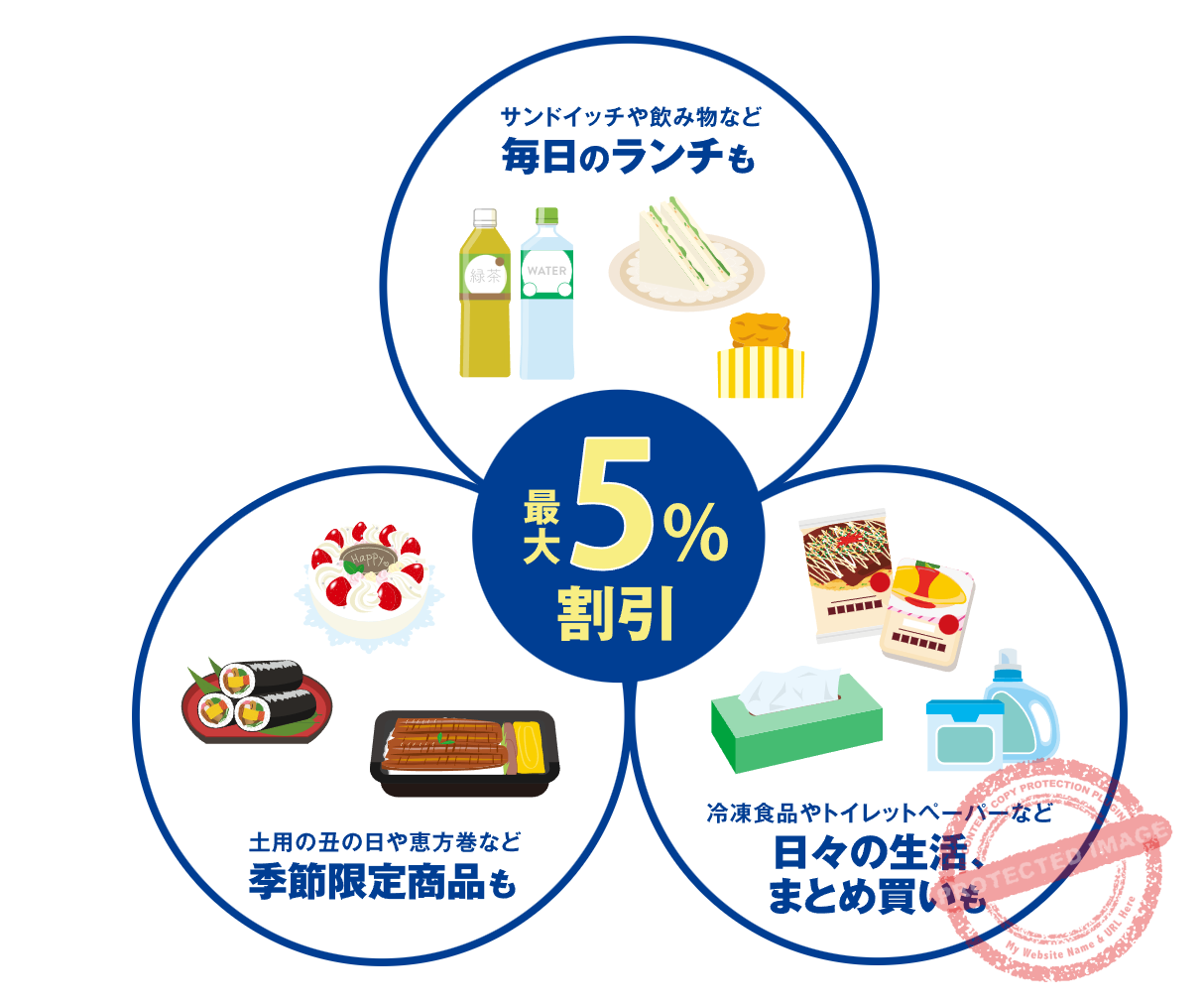
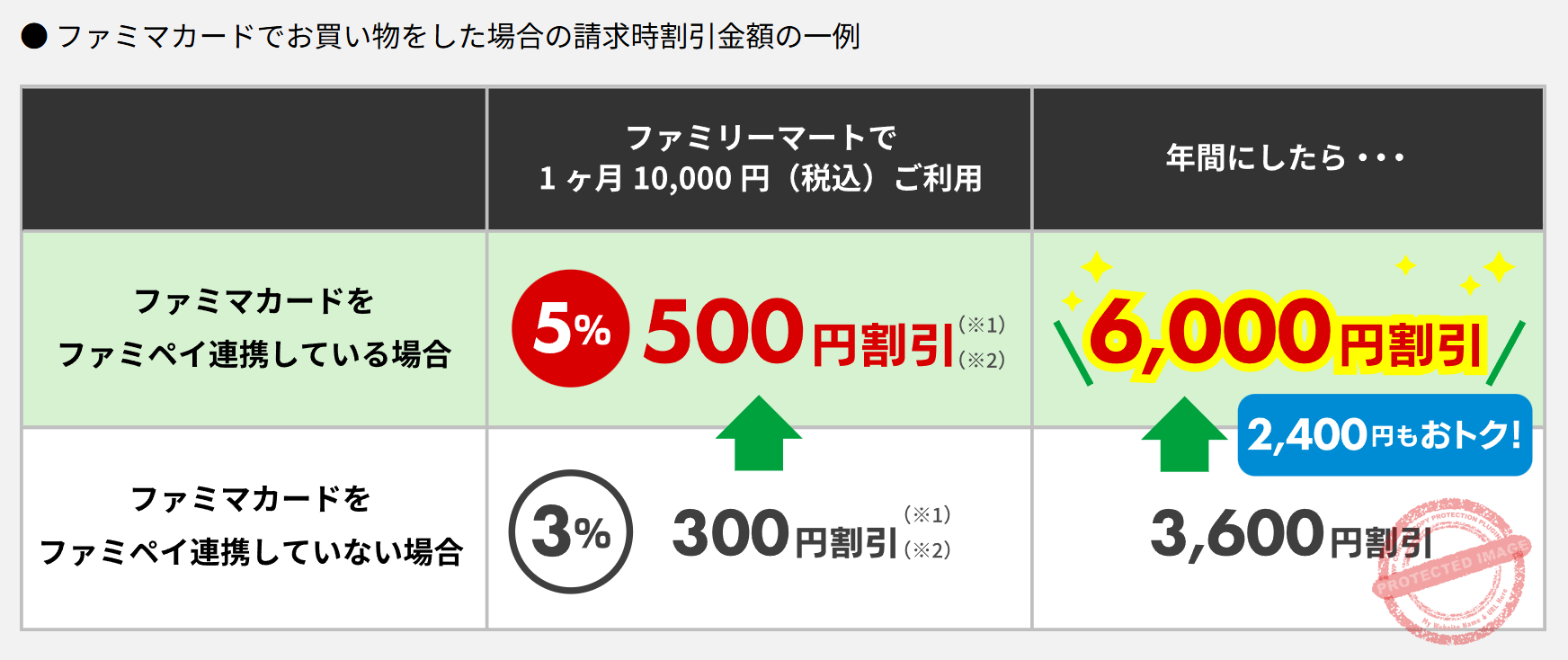
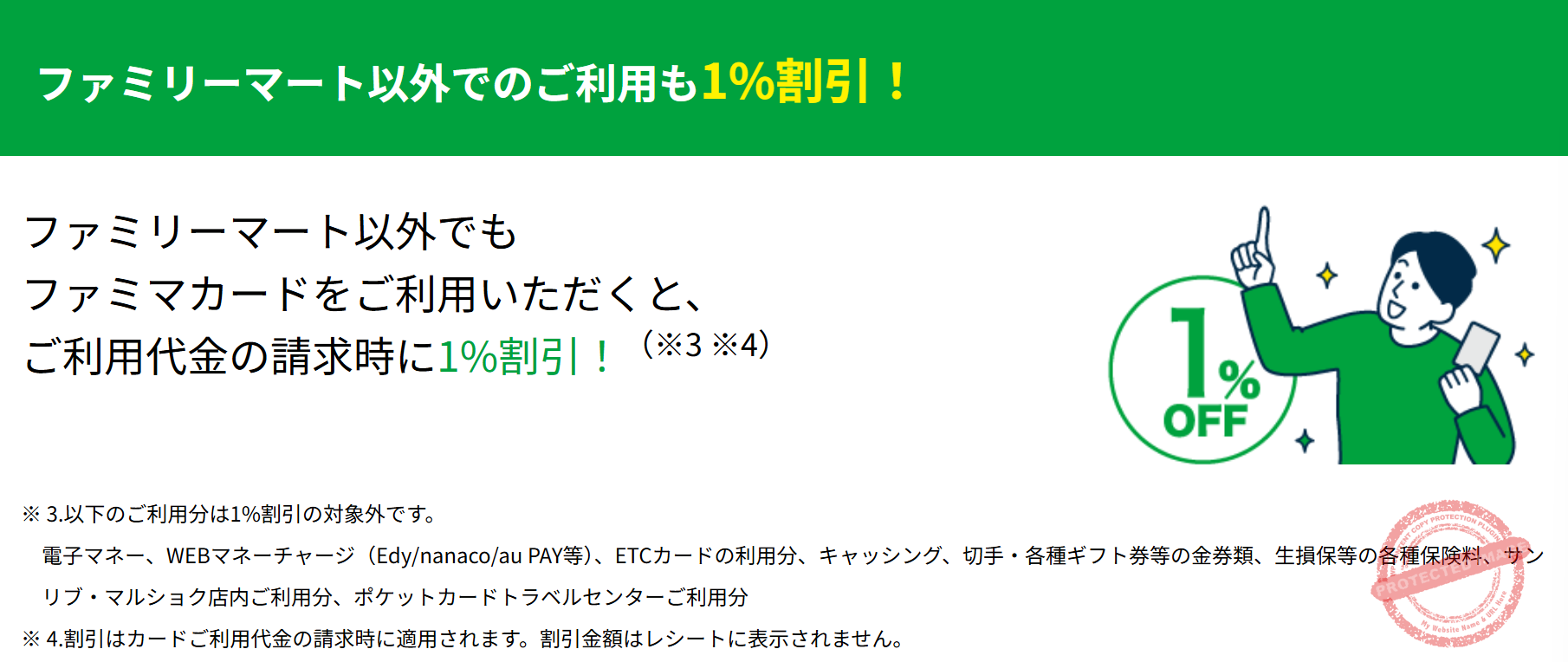
- FamilyMart in-store: Up to 5% OFF with FamiPay link (3% without)
- JCB merchant purchases: 1% OFF (billing discount)
- Annual fee: Free forever
📢 Famima Card Official Sign-up Campaign
| Campaign | Conditions | Reward |
|---|---|---|
| Spending Bonus | From the card issuance date to the end of the second month after issuance (FamiPay linkage required) | ¥5,000+ spend → ¥500 / ¥10,000+ → ¥1,500 / ¥30,000+ → ¥3,000 in FamiMa Points (max ¥3,000 worth) |
| Lottery A | Spend ¥50,000+ | 555 winners get 10,000pt |
| Lottery B | Spend ¥5,000+ | 5,555 winners get 555pt |
Note:FamiPay linking doubles your lottery odds
🎯 Apply via Point Sites for Extra Rewards
Applying for the Famima Card through point sites earns you thousands of yen extra:
| Point Site | Extra Reward |
|---|---|
| Powl | +¥4,300 |
| Hapitas | +¥4,000 |
| Moppy | +¥3,000 |
👇 Don’t have a point site account yet? Register through these referral links for bonus rewards:



Triple Point Earning: Up to 1.5% Base Rate
FamiPay integrates with dPoint, Rakuten Point, and V-Point. Combine all three and your total return comes to 1.5%.
How to Link Points
In the FamiPay app, tap “ポイントカード” (Point Card), select your desired point card, and log in to each account. After setup, one scan handles both payment and point earning.
Triple Earning Structure
| Step | Action | Cashback |
|---|---|---|
| ① Charging | Charge FamiPay with Famima Card | 0.5% |
| ② Payment | FamiPay payment | 0.5% (1 FamiMa Point per ¥200) |
| ③ Point Card | dPoint/Rakuten/V-Point linkage | 0.5% |
POSA Card Purchase Guide: Vanilla Visa & Apple Gift Card
FamiPay’s unique strength is the ability to purchase POSA cards (prepaid cards). This isn’t possible with PayPay, Rakuten Pay, or other QR payment apps.
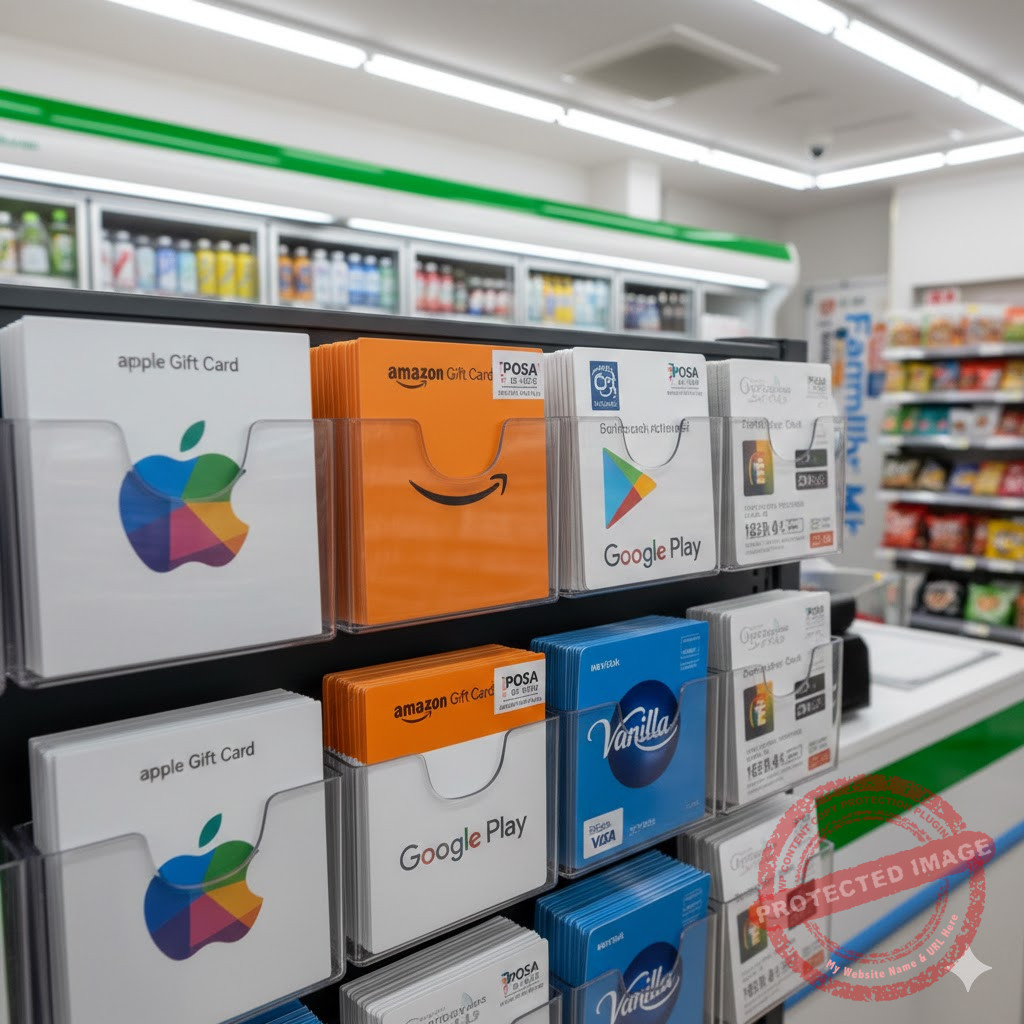
Available POSA Cards
- ✅ Vanilla Visa Gift Card (¥3,000-10,000)
- ✅ Apple Gift Card
- ✅ Google Play Gift Card
- ✅ Amazon Gift Card
- ✅ Rakuten Point Gift Card
- ✅ Nintendo eShop Card
- ✅ PlayStation Store Card
Vanilla Visa Tips
Vanilla Visa Gift Card is a prepaid Visa card usable at Visa merchants. It’s perfect for online payments where you need Visa but can’t get a regular card. You can also charge it to Mobile Suica for indirect transit card rewards.
- Valid for 2 years from issue date
- Becomes difficult to use with small remaining balance
- Not accepted at some subscription services and overseas sites
1/5/0 Day Campaign: Extra 1.5% on POSA Cards
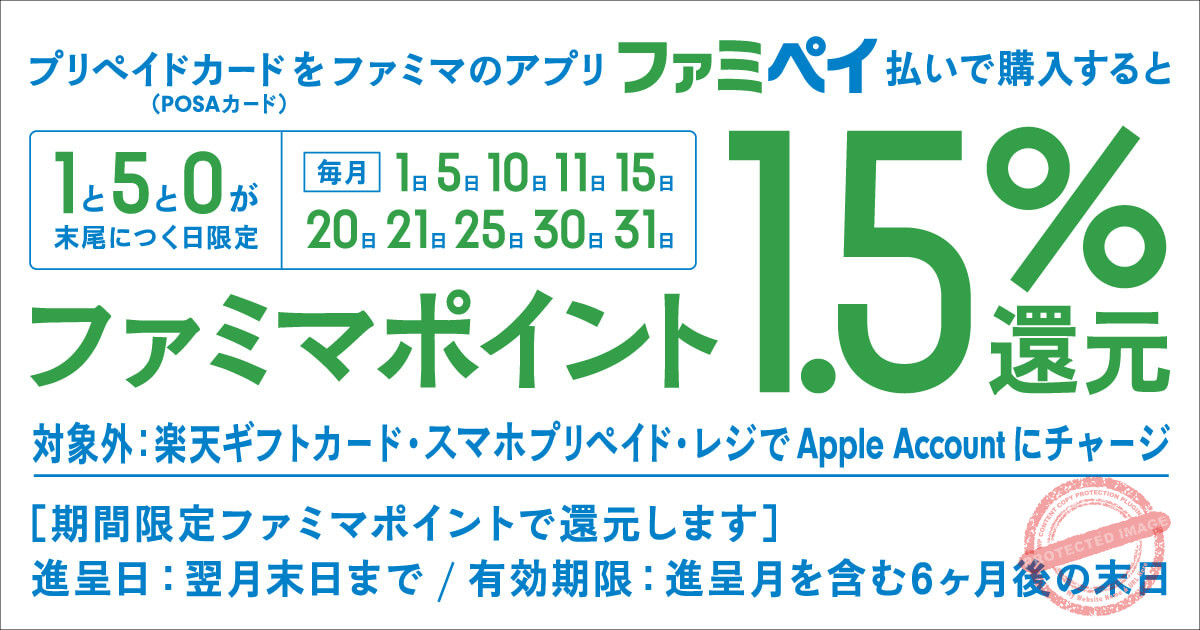
On the 1st, 5th, 10th, 11th, 15th, 20th, 21st, 25th, 30th, and 31st of each month (“1/5/0 days”), purchasing POSA cards with FamiPay earns an extra +1.5% FamiMa Points.
POSA Purchase on 1/5/0 Days:
Regular FamiPay reward 0.5% + Campaign reward 1.5% = 2.0%
Apple Gift Card Campaign Strategy

The Apple Gift Card 10% cashback campaign is a major opportunity for savvy savers. Using this campaign effectively lets you purchase Apple products and app subscriptions at significant discounts.
Historical Campaign Patterns
| Period | Cashback Rate | Maximum Reward |
|---|---|---|
| Year-end/New Year (Late Dec – Early Jan) | 10% | ¥10,000 |
| Golden Week (Late Apr – Early May) | 5-10% | ¥5,000 |
| Summer (Late Jul – Mid Aug) | 5-10% | ¥5,000 |
| Mid-Late November | 10% | ¥10,000 |
Maximum Reward Strategy
In-Store Purchase at FamilyMart:
① Charge FamiPay with Famima Card: +0.5%
② Buy Apple Gift Card with FamiPay on 1/5/0 day: +2.5%
③ During 10% campaign period: +10%
Note: Other high-reward JCB cards (1%) can achieve 13%+ but have ¥20,000/month limit
Participation Requirements
- Minimum purchase: ¥5,000
- iOS version: iOS 17+ (for register direct charge method)
- LINE account linkage and receipt upload required
- Apple Account balance limit: ¥300,000
Expected 2026 Campaign Periods
- Late April – Early May 2026 (Golden Week)
- Late July – Mid August 2026 (Summer)
- Mid-Late November 2026
- Late December 2026 – Early January 2027 (Year-end/New Year)
Free Coupon Strategies
One of FamiPay’s hidden gems is its abundant free coupon system. Use it well and you can get free items nearly every week.
Coupon Types
Free coupons from registration bonuses or lotteries – exchange directly for products
Trial coupons (お試しクーポン) – use points to redeem products at huge discounts
Free Coupon Lottery (Every Tuesday)
FamiPay automatically enters users in free coupon lotteries every Tuesday. Common prizes include:
- Alcohol: Suntory Draft Beer, Premium Malts, Highball
- Beverages: FamiMaru Tea 600ml series
- Snacks: FamiMaru Potato Chips, Black Thunder
🎯 Tips to Improve Winning Odds
1Link all three point cards (dPoint, Rakuten, V-Point)
2Set “drinking frequency” and lifestyle info on V-Point website
3Purchase alcohol at least once using FamiPay in-store
4Use earned coupons promptly
Trial Coupon System (お試しクーポン)
This is FamiPay’s “points for products” system. Redeem products at up to 75% OFF using points:
| Item | Details |
|---|---|
| Update Time | Every Thursday (times vary: 9:30, 10:00, 14:30, or 15:00) |
| Usable Points | dPoint, Rakuten Point, V-Point, or FamiPay balance |
| Limits | Max 3 reservations at once, 1 per item per day |
| Validity | 24 hours after reservation to use in-store |
Example: inゼリー Vitamin (normally ~¥200) can be redeemed for just 70 points – that’s 65% OFF!
Deferred Payment (翌月払い) Strategy
FamiPay’s deferred payment isn’t just for convenience – it’s also key to boosting your rewards.
Benefits of Deferred Payment
- Pay without pre-charging
- Step Bonus increases rewards up to 3x
- Higher-tier coupons become available
- Pay by the 27th of next month = No fees
Step Bonus System
| Step | Condition | Bonus |
|---|---|---|
| Step 1 | Start using deferred payment | +1x (0.5%→1.0%) |
| Step 2 | Use deferred payment 3 times | +2x (0.5%→1.5%) |
| Step 3 | Use deferred payment 5 times | +3x (0.5%→2.0%) |
Comparison with Other Payment Methods
Convenience Store Payment Comparison
| Feature | FamiPay | PayPay | Rakuten Pay |
|---|---|---|---|
| Base Cashback | 0.5% | 0.5-1.5% | 1.0-1.5% |
| Max Campaign Rate | 13%+ | Up to 20% | Up to 10% |
| Merchant Coverage | Limited (mainly FamilyMart) | Extensive | Good |
| POSA Purchases | Yes | No | No |
| Utility Bills | At FamilyMart | Invoice payment | Partial support |
Practical Tips & Troubleshooting
Usage Limits
| Item | Without ID Verification | With ID Verification |
|---|---|---|
| Balance Limit | ¥100,000 | ¥300,000 |
| Daily Payment Limit | ¥100,000 | ¥1,000,000 |
FamiMa Point Expiration
- Regular points: 2 years from earning/using
- Limited-time points: About 2 months (varies by campaign)
- Charged balance: No expiration
Common Issues & Solutions
Charging Fails
- Check if “FamiPayを使う” (Use FamiPay) is ON
- Check that your card is JCB-branded and registered for 3D Secure
- Check if monthly charging limit is reached
Payment Fails
- Verify sufficient balance
- Restart app and update to latest version
- Check network connection stability
Rakuten Point Linkage Error
If your Rakuten account has 10,000+ points, a security lock may activate. Wait about 40 minutes on the error screen, then retry.
Customer Support
- Phone: 0570-099-899 (Navi Dial)
- Landline: 092-235-4544
- Hours: 9:00-21:00 (Year-round)
Summary: Practical Strategy Guide
Beginner Setup Recommendations
1Download FamiPay app and register
2Complete ID verification (increases limits)
3Link all three point cards (dPoint, Rakuten, V-Point)
4If you have a JCB credit card, add it as charging method
Advanced High-Reward Strategy
1Apply for Famima Card via point sites (Powl/Hapitas/Moppy recommended)
2Start using deferred payment and reach Step Bonus milestones
3Buy eligible POSA cards (Apple Gift Card / google Play gift cards only, as of April 1, 2026) on 1/5/0 days each month
4Target Apple Gift Card 10% cashback campaigns
5Check for free and trial coupons every Tuesday and Thursday
Maximum Cashback Paths
POSA Purchase (Non-Campaign):
Famima Card charge (0.5%) + FamiPay payment (0.5%) + 1/5/0 day campaign (2.0%) = 3.0%
Note: Since April 1, 2026, the 1/5/0 day POSA bonus is 2.0%, and only Apple Gift Card and google Play gift cards are eligible — all other POSA cards are excluded.
Note: Other high-reward JCB cards (PayPay Card etc.) offer 1% charging but have ¥20,000/month limit
Apple Gift Card (Campaign Period):
Famima Card charge (0.5%) + FamiPay payment (0.5%) + 1/5/0 day (2.0%) + 10% campaign
Note: Other high-reward JCB cards can reach 13.5%+, but charging is capped at ¥20,000 per month
- Heavy usage (over ¥20,000/month): Apply for Famima Card to use the ¥100,000 monthly limit
- Light usage (under ¥20,000/month): Use PayPay Card (JCB) etc. for 1% charging rewards
- Best combo: Hold both Famima Card + high-reward JCB card, switch based on monthly usage
FamiPay isn’t the app to use everywhere, but for anyone who frequently shops at FamilyMart it’s worth mastering. If you work the campaigns and tricks above, you can save tens of thousands of yen annually.
A concrete use for FamiPay: FamilyMart registers accept it for topping up your Apple Account, and during the campaign you get 10% of that back as an Apple Gift Card. The four-chain comparison and the charge routes are in 10% back on Apple Account top-ups at four convenience stores.
📚 Recommended Reading


Get new articles by email
We will email you when a new deals article goes up. You can choose the categories, too.