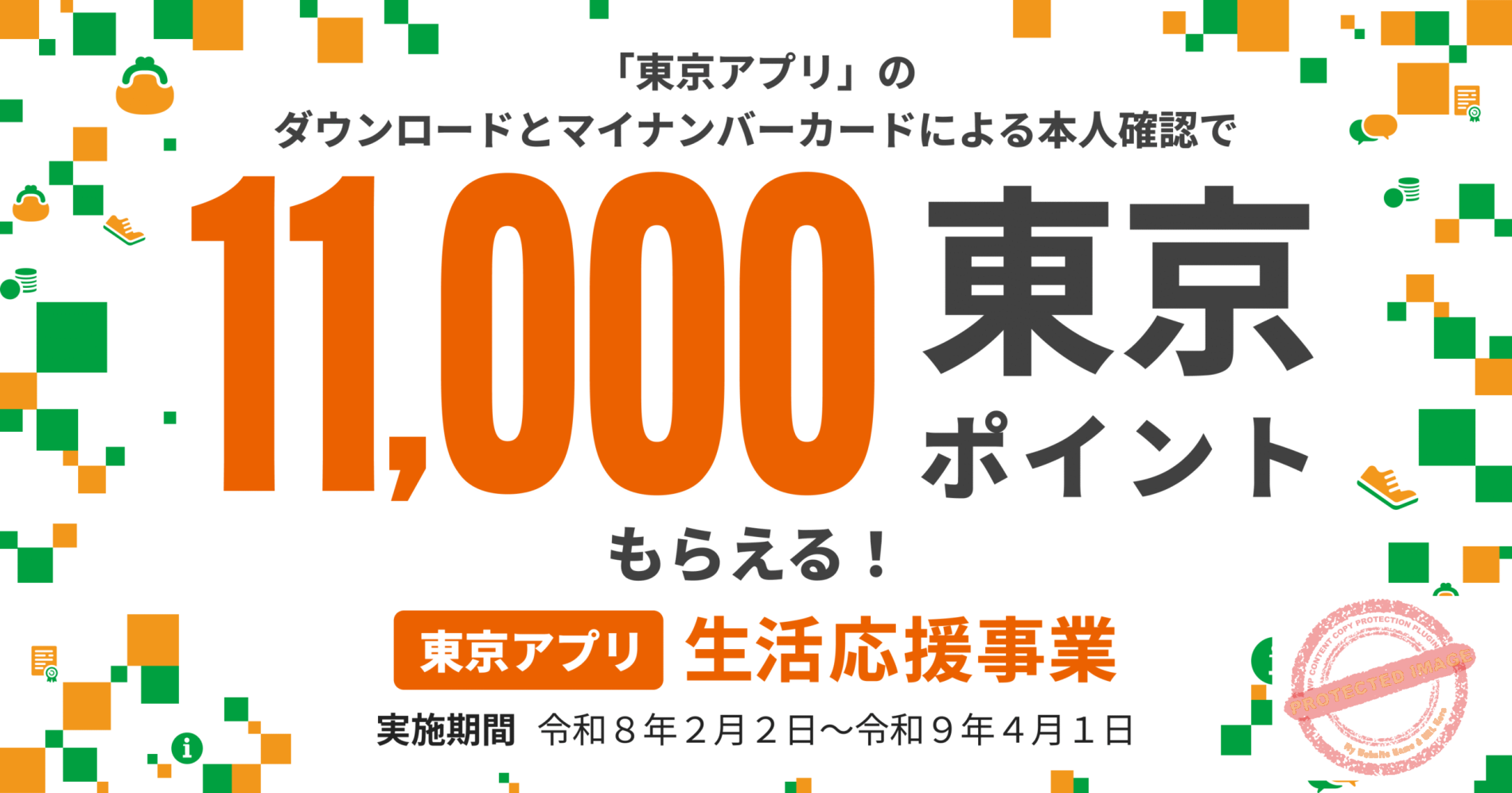
Free Points from Tokyo!
Applications Open Feb 2, 2026 | Easy 3-Step Process
Eligibility Requirements
📸 Step-by-Step Guide with Screenshots
- My Number Card (valid/not expired)
- User Authentication PIN (利用者証明用 – 4 digits)
- Card Information PIN (券面事項入力補助用 – 4 digits)
💡 Both PINs are 4-digit numbers you set when you got your My Number Card. Many people set them to the same number. If you forgot them, you’ll need to reset at your local ward office.
You need to download two apps:
- 東京都公式アプリ (Tokyo Official App)
- デジタル認証アプリ (Digital Authentication App by Digital Agency)
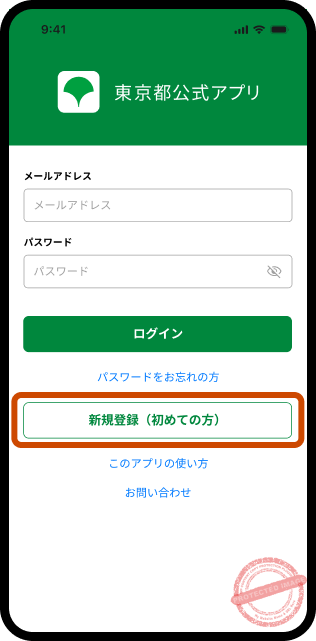
1. Download “東京都公式アプリ” from your app store. Open it and tap the white “新規登録(初めての方)” (New Registration) button at the bottom.


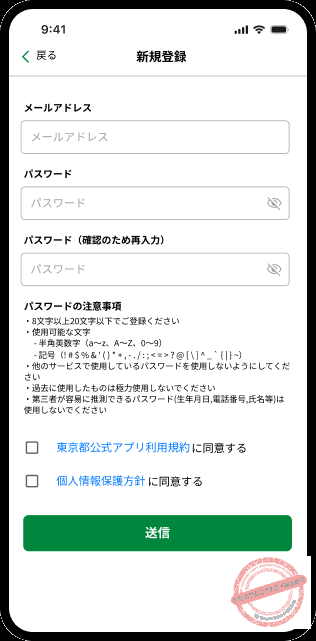
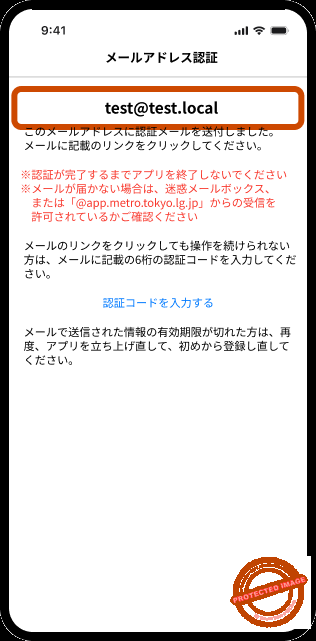
2. Enter your email and password (8+ characters with letters and numbers). The system will send a verification email. Click the link in the email, then return to the app for SMS verification.
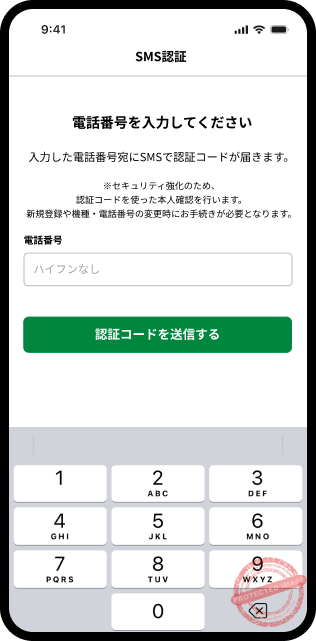
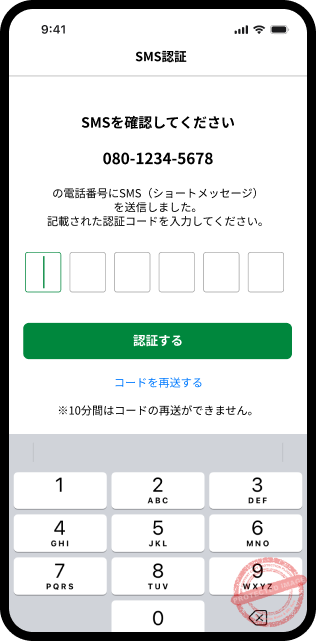
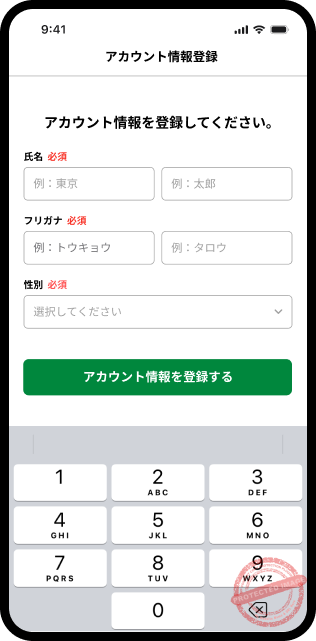
3. After verification, enter your name and furigana, gender, and other basic info. Tap “登録する” (Register) to complete account creation.
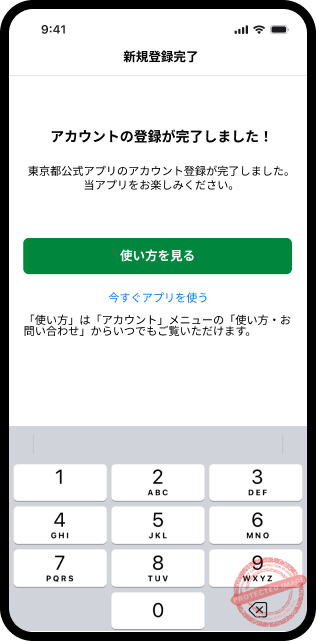
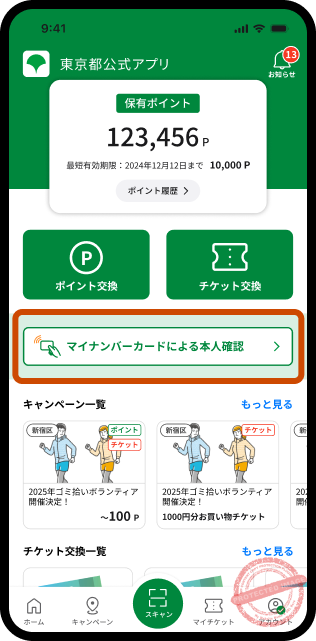
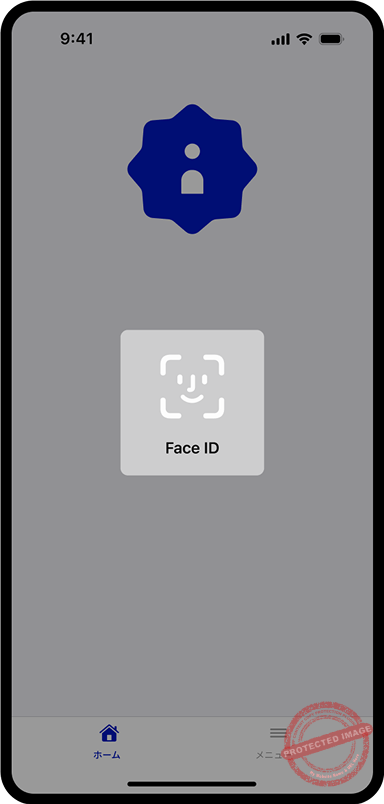
1. Return to the app home screen and tap the prominent “マイナンバーカードによる本人確認” (Identity Verification with My Number Card) button. Review the notes and tap “手続きを進める” (Proceed).
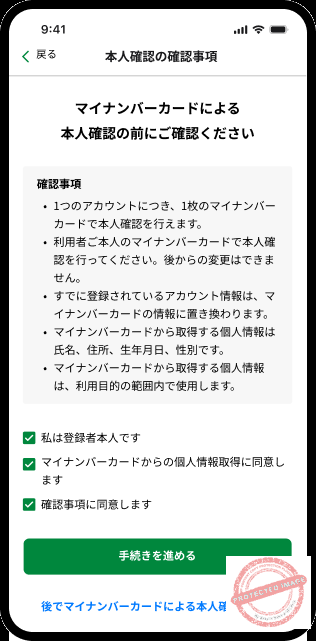
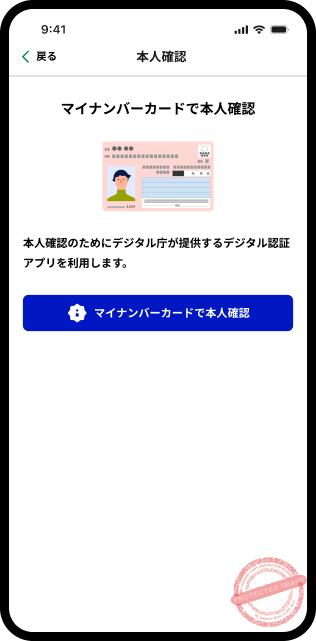
2. Tap “マイナンバーカードで本人確認” (Verify with My Number Card). The Digital Authentication App will automatically launch.
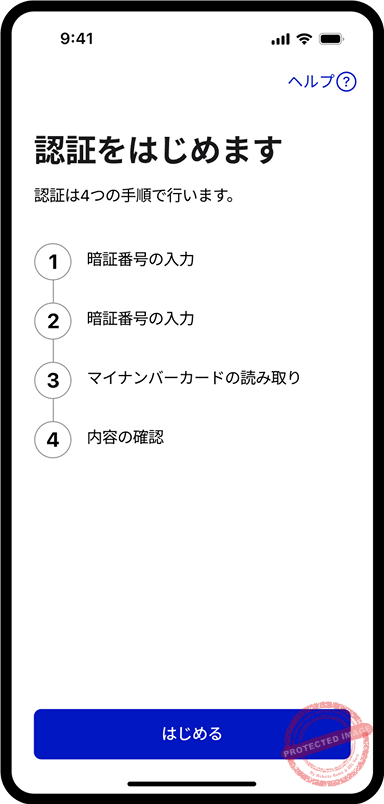
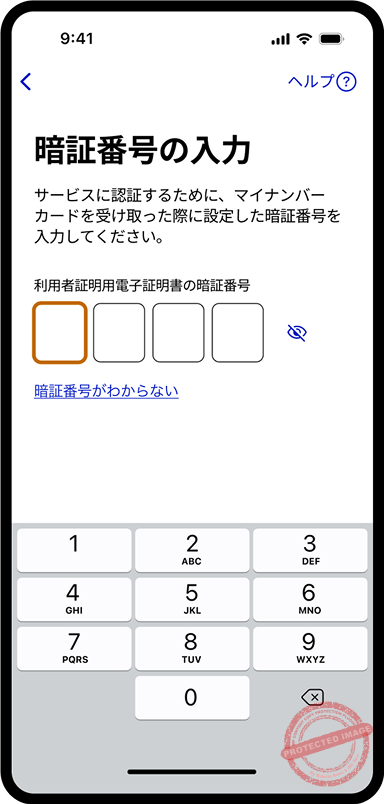
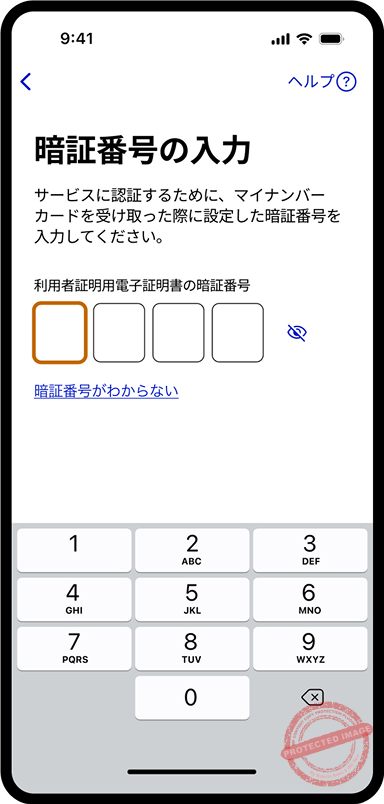
3. In the authentication app, you’ll need to enter two 4-digit PINs:
First PIN: User Authentication PIN (利用者証明用電子証明書 – 4 digits)
Second PIN: Card Information PIN (券面事項入力補助用 – 4 digits)
Note: If you set both PINs to the same number, the system may auto-fill the second one
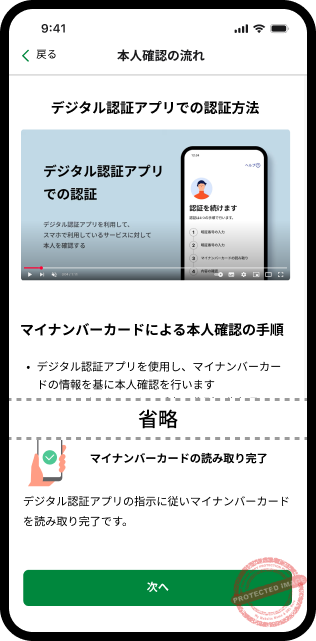
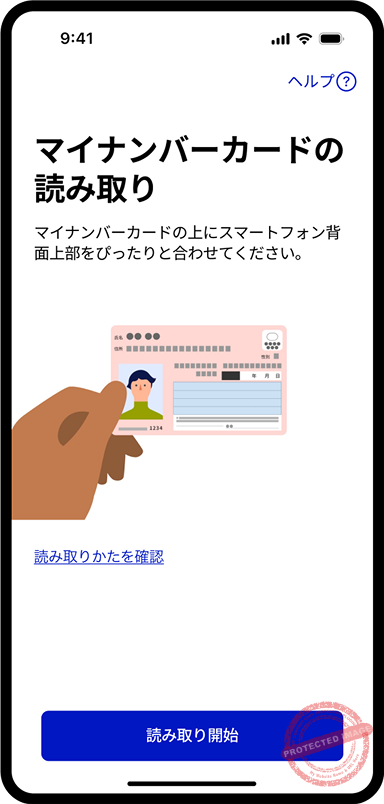
4. After entering the PINs, place the back of your phone against your My Number Card to read it. The reading position varies by phone model—usually near the top of the phone.
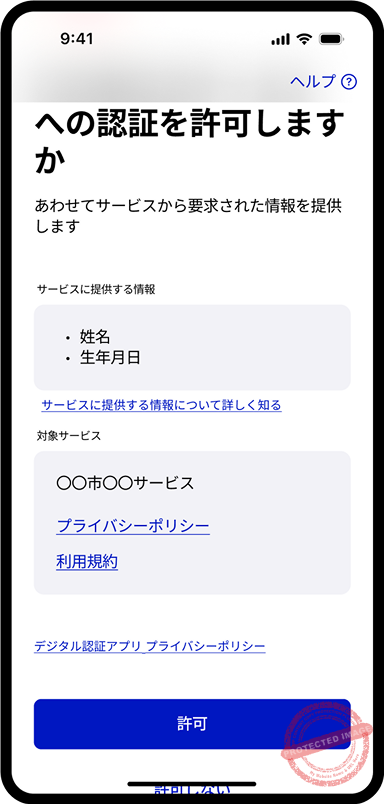
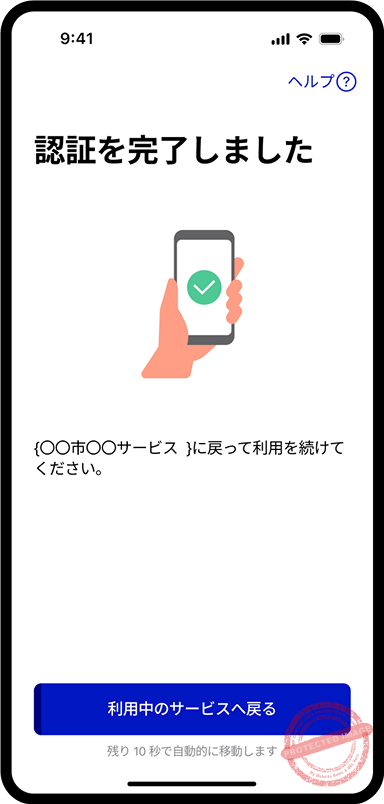
5. Once the card is read successfully, confirm the information to be shared and tap “許可” (Allow). You’ll see “認証が完了しました” (Authentication Complete). Tap “利用中のサービスへ戻る” (Return to Service) to go back to the Tokyo App.
1. After verification, you’ll see “本人確認が完了しました” (Identity Verification Complete). A “東京ポイントを申し込む” (Apply for Tokyo Points) button will appear—tap it.
2. Alternatively, from the home screen, tap “ポイント交換・申請” (Point Exchange/Application) and find “東京アプリ生活応援事業(11,000pt)” in the list.
3. Check the agreement box and tap the green “申請する” (Apply) button at the bottom. Confirm again by tapping “はい” (Yes).

4. When you see the green checkmark with “申請を受け付けました” (Application Received), you’re done!
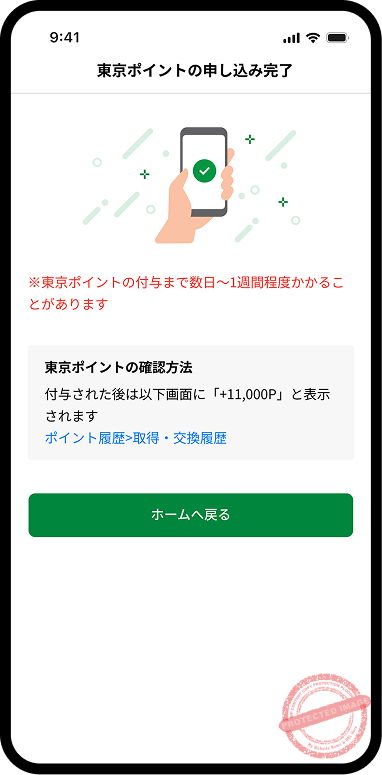
🎉 Congratulations! Now just wait for your 11,000 points!
💰 Point Redemption & Usage
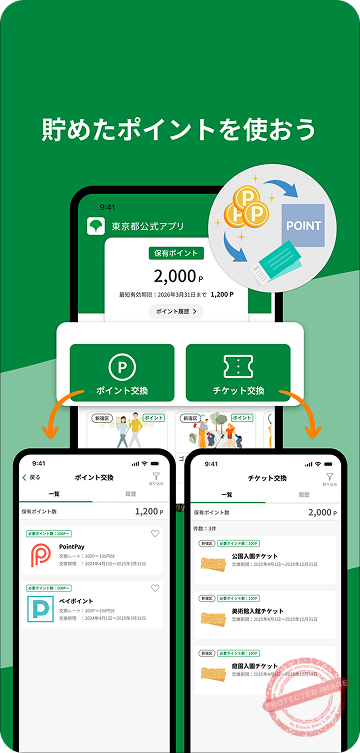
After application, points usually arrive within a few days to a week. Once received, you can exchange them 1:1 for popular payment service points or Tokyo metropolitan facility tickets:
✓ Available
✓ Available
✓ Available
✓ Available
✕ Not supported
📝 FAQ
Q: How long until points arrive?
A: Not instant—usually takes a few days for review.
Q: When is the deadline?
A: The campaign runs until April 1, 2027. Plenty of time—no rush!
Q: I participated in the 500pt test. Do I need to apply again?
A: Yes! These are two separate campaigns. Follow the steps above to apply for the 11,000pt.
Q: What if I forgot my 4-digit PIN?
A: You’ll need to bring your My Number Card to the ward office where you’re registered to reset it.
Q: What’s the difference between the two 4-digit PINs?
A: The “User Authentication PIN” (利用者証明用) verifies your identity, while the “Card Information PIN” (券面事項入力補助用) allows reading card data. Many people set both to the same number when getting their card.